Markdown apps for iPhone and Android compared
For editing ordinary Markdown files on a phone, our starting recommendations are 1Writer on iPhone and Markor on Android. Choose iA Writer for sustained writing and document export, Zettel Notes for an Android folder of notes with optional sync, or Obsidian if you already work in a linked knowledge base. For reading an occasional attachment on iPhone, QuickMark is a candidate worth trying before committing to a larger notes system.
We checked official documentation, store listings, and selected Reddit discussions on October 7, 2026. This is a sourced comparison, not a hands-on phone benchmark. Screenshots come from the publishers; some illustrate older interfaces. Reddit reports describe individual workflows and versions, not a representative survey.
Other language available 繁體中文.
Choose by the document you need to open
Section titled “Choose by the document you need to open”On a phone, swipe the table sideways to see every column.
| App | Phone platform | Our suggested use | Files and sync | Cost model |
|---|---|---|---|---|
| 1Writer | iPhone | Existing files and small edits | Plain files; iCloud, Dropbox, WebDAV | Paid app |
| iA Writer | iPhone | Writing and PDF or Word export | Plain files; iCloud and compatible Files providers | Paid per platform |
| Markor | Android | Local, offline editing | Filesystem folders; sync handled separately | Free and open source |
| Zettel Notes | Android | A searchable folder of notes | Plain files; optional Dropbox, Git, WebDAV, SFTP | Free core app |
| Obsidian | Both | An existing linked knowledge base | Markdown files inside a vault; choose a compatible sync method | Free app; optional paid Sync |
| QuickMark | iPhone | Preview a loose attachment | Opens files in place through Files | Free download with in-app purchase |
Prices and purchase options vary by region. Check the official links before buying. Free and open source are different properties; Obsidian’s free app is proprietary.
The important distinction is where the document lives. A file editor works on a .md file that another app can also use. A notes app may import the text into its own collection. Importing a note does not update the attachment you received.
1Writer
Section titled “1Writer”Our pick for an iPhone file workflow, especially when Dropbox or WebDAV is already part of it.
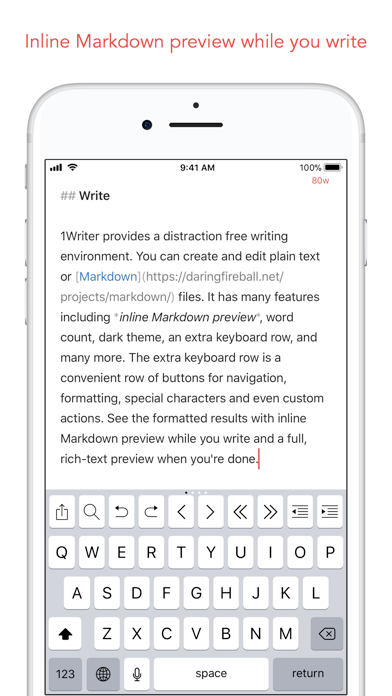
Publisher screenshot of the iPhone editor from 1Writer’s App Store listing, showing an older interface.
1Writer combines plain-text editing with inline Markdown formatting and a separate rich-text preview. Its documented workflows include open-in-place access, iCloud Drive, and direct Dropbox or WebDAV folder synchronization. Offline changes can sync after reconnection. The extra keyboard row and JavaScript actions help with repetitive text tasks.
Pros
- Portable text files rather than a required note database.
- Preview and cloud-folder workflows in one app.
- Custom actions for repetitive editing.
Cons
- No Android or Mac app; use another editor on the computer.
- Purchase required; it is a file editor rather than a full knowledge system.
Reddit feedback is mixed. In a Dropbox workflow discussion, a September 2025 reply reports easy file access and satisfactory rendering for mostly reading and small edits. The original poster, also using 1Writer, is less satisfied. In an iOS editor discussion, users value scripting and search; an April 2024 reply specifically prefers sorting search results. Try your own folder before assuming its interface will suit you.
Choose it when existing files matter more than a new notebook. Official features and App Store listing.
iA Writer
Section titled “iA Writer”Our pick for iPhone writing when focus and finished-document export justify a paid editor.
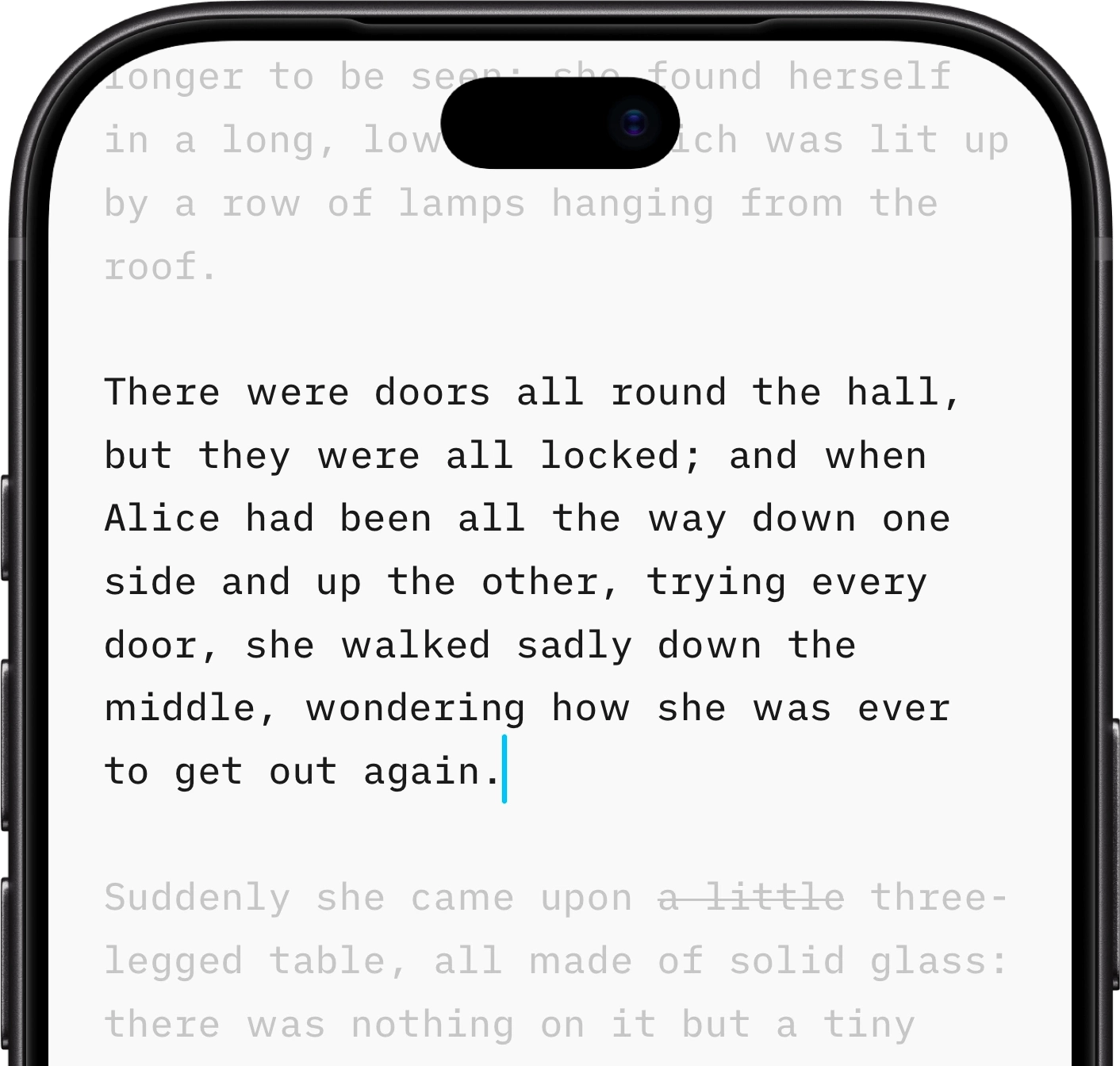
Official illustration of iPhone Focus Mode, from iA Writer.
iA Writer offers Focus Mode, Markdown preview, and PDF and Word export on iPhone and iPad. It works with local documents and cloud locations. Full-folder access depends on the provider’s integration with Apple’s Files system, so check the service you actually use.
Pros
- A writing-focused feature set with sentence or paragraph focus.
- PDF and Word export for people who do not use Markdown.
- Plain documents can remain in a file-based workflow.
Cons
- Separate platform purchases can add up.
- Some providers allow individual-file access without full folder access.
- No supported Android version; it was removed from sale in September 2024.
In a 2020 Reddit comparison with Ulysses, users praise the minimal interface, ordinary files, and purchase rather than subscription model. That is historical preference, not proof of today’s price. Later replies in the iOS editor discussion raise search ordering and the need to let cloud changes arrive before editing.
Old Dropbox complaints need a correction. Official documentation says Dropbox added the required iOS Files integration in May 2024, allowing folders to be added with an updated Dropbox app. Do not repeat the old claim that iA Writer cannot use Dropbox folders. See current cloud instructions, platform features, and Android retirement.
Choose it for writing and export. For occasional attachment edits, try a cheaper or free candidate before buying it.
Markor
Section titled “Markor”Our first Android recommendation for local Markdown files and offline editing.
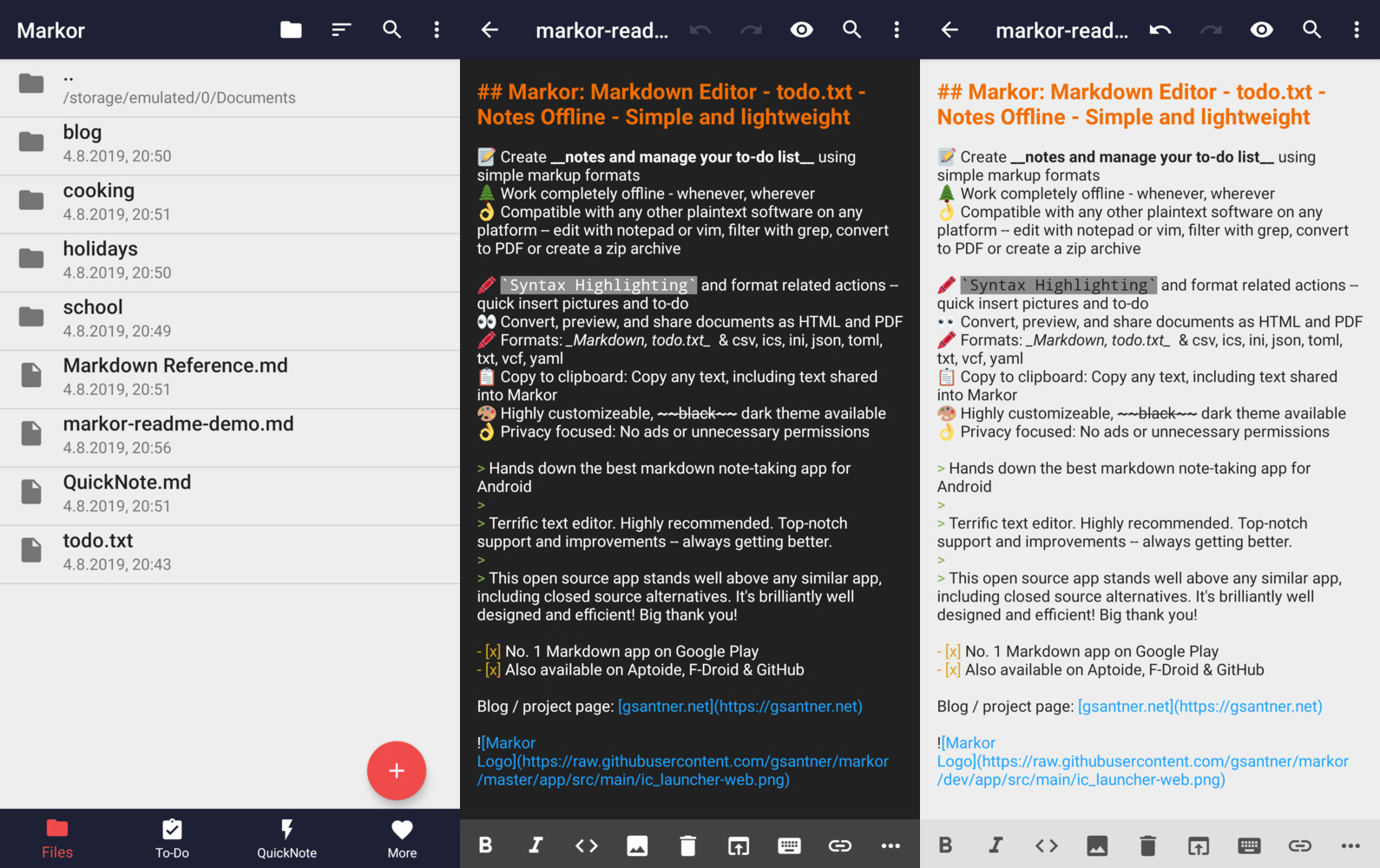
Older interface examples supplied by the Markor project, not a current-version phone test.
Markor is a free, open-source Android text editor. Its notebook is a filesystem folder, and documents remain usable in other text editors. It provides syntax actions, preview, automatic saving, and HTML or PDF sharing. The app works offline; another application must handle synchronization if you need the files on a computer.
Pros
- Free, open source, and usable offline without a cloud account.
- Documents remain ordinary files in an accessible folder.
- Formatting controls and preview help on a small keyboard.
Cons
- Cloud synchronization is an additional setup task.
- Source editing and preview are distinct modes; do not expect Word-style editing.
- Android only.
In July 2024 user feedback, a long-term user praises rendering, a configurable toolbar, and choosing the notebook folder. A March 2026 user calls the interface functional rather than fancy. That is a useful tradeoff to consider, not a universal usability verdict.
Choose it for local files when you can manage sync separately. Use the project’s official download links, which currently point to F-Droid and GitHub releases.
Zettel Notes
Section titled “Zettel Notes”Our Android alternative for a larger Markdown collection and built-in sync connections.
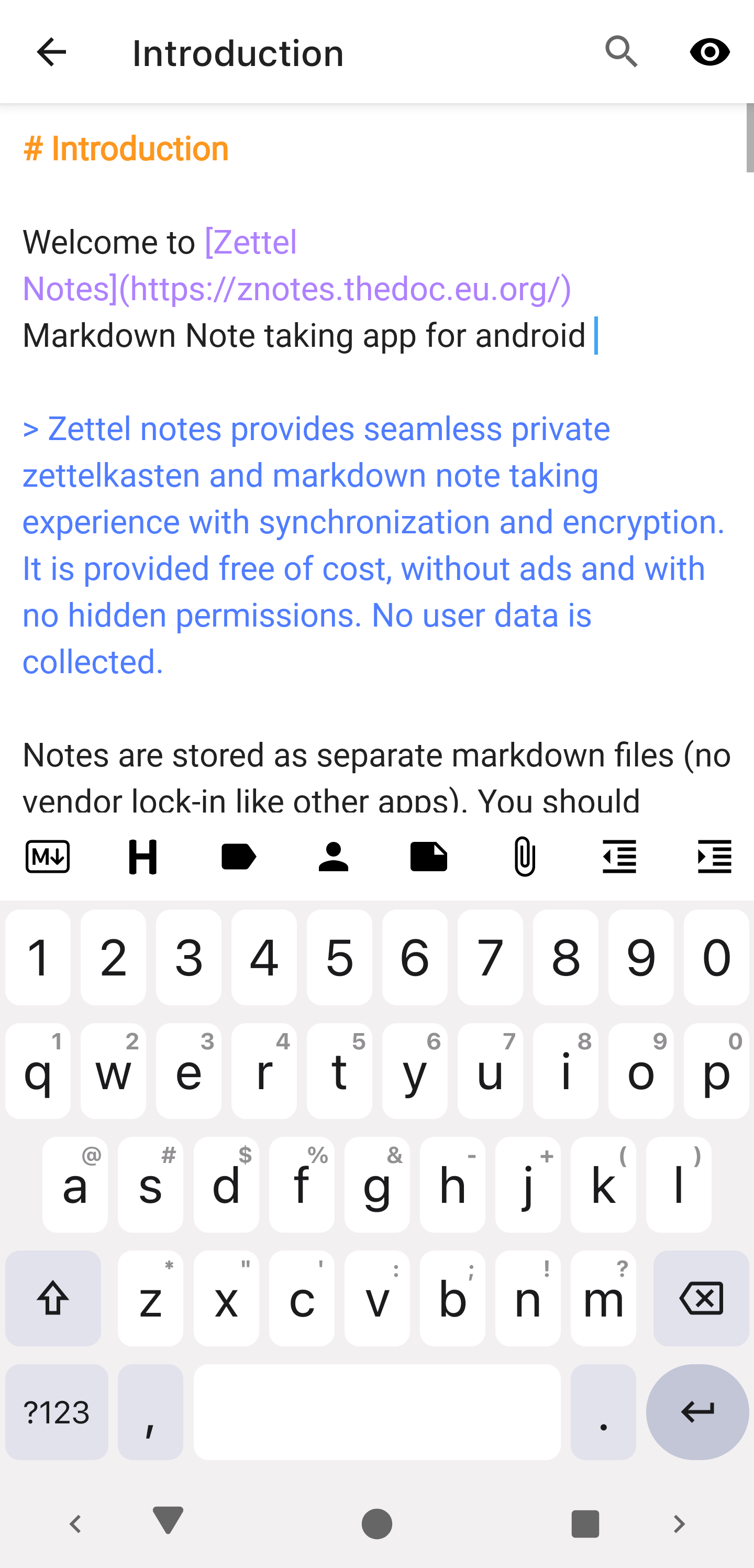
Publisher screenshot from the Zettel Notes editor documentation.
Each Zettel Notes note is a separate text file. Add an existing folder as a repository, then use search, tags, subfolders, and links to navigate it. Official documentation lists optional Dropbox, Git, WebDAV, and SFTP synchronization. Compare that with adding an external sync application to Markor.
Pros
- Existing Markdown folders can become the note collection.
- Full-text search and organization for more than one document.
- Several optional sync connections; offline use does not require sync.
Cons
- Repository and sync configuration take more work than opening one attachment.
- Android only; choose another editor for your desktop or iPhone.
A 2022 comparison praises folder hierarchy and search but dislikes the appearance. A 2025 local-file discussion recommends it for lightweight file-based notes. A 2024 user describes pairing it with Zettlr on a computer. The older visual complaint is not a current-version bug report.
Choose it when the whole folder needs organization and a sync connection. Official features and setup.
Obsidian
Section titled “Obsidian”Our pick for an existing knowledge base on either phone platform.
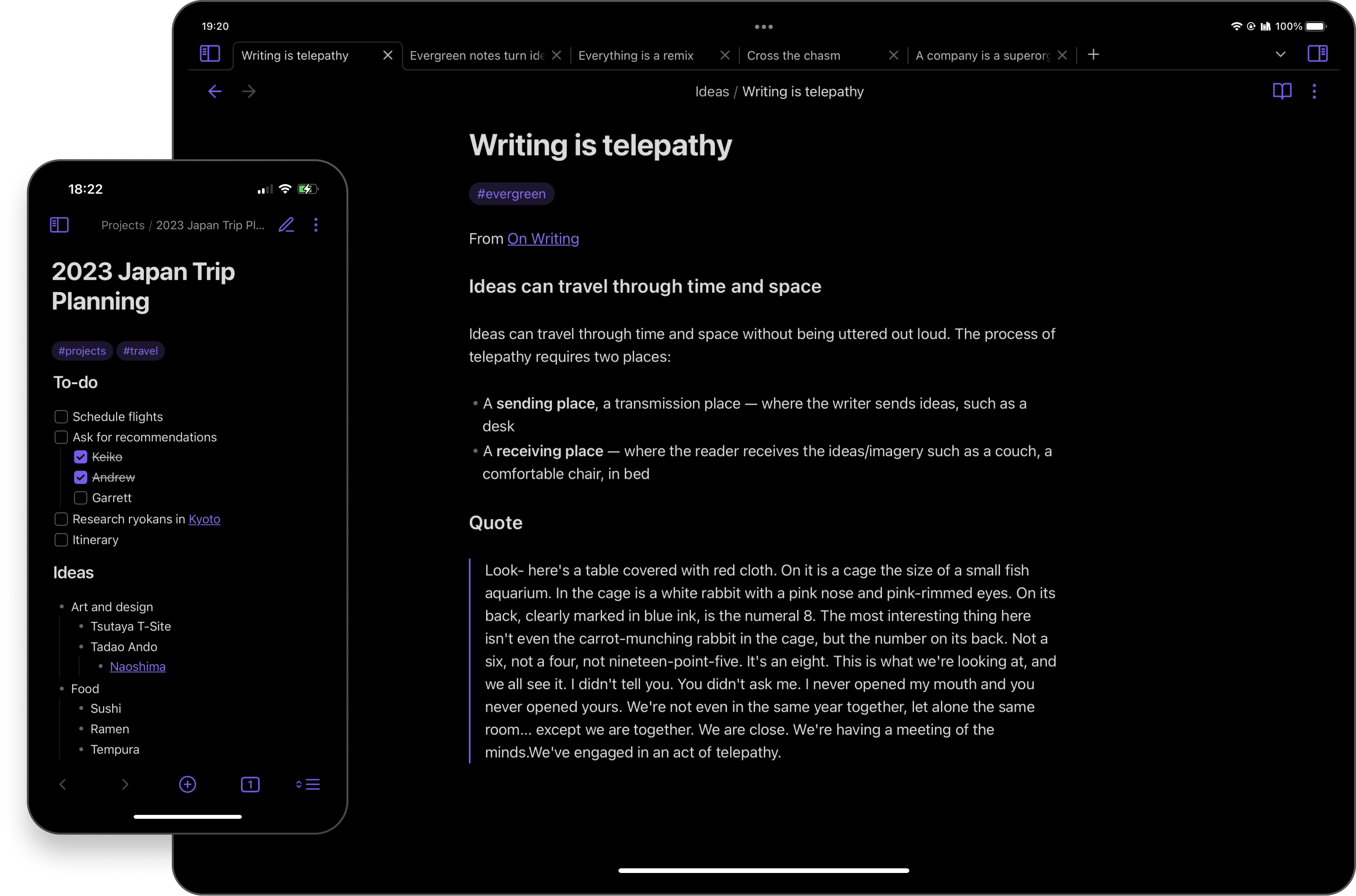
Official mobile product image from Obsidian.
Obsidian organizes notes in a vault, a folder containing your documents. Its mobile app brings tabs, links, search, and compatible plugins into that collection. Continuing a collection you already use on a computer is a stronger reason to choose it than simply needing to read one downloaded file.
Pros
- Available on iPhone and Android; the core app is free.
- Links and plugins support an evolving notes collection.
- Notes remain local Markdown files.
Cons
- A vault and sync workflow add setup for a loose attachment.
- Plugins and a large collection can complicate the mobile experience.
- Proprietary app; official Sync is an optional paid service.
Recent Reddit reports disagree about performance. In a February 2026 discussion, some report improvements or identify plugins and downloaded-file availability as factors; another still reports slow use. In August 2026, a user with roughly 10,000 files reports sluggish resume, while replies describe different experiences. Test your own vault and plugins rather than relying on a universal launch-time claim.
Choose it for linked notes you already use. For a single attachment, try a file-oriented editor first. Official mobile app and vault explanation.
QuickMark
Section titled “QuickMark”A reading-first iPhone candidate for an attachment or download.
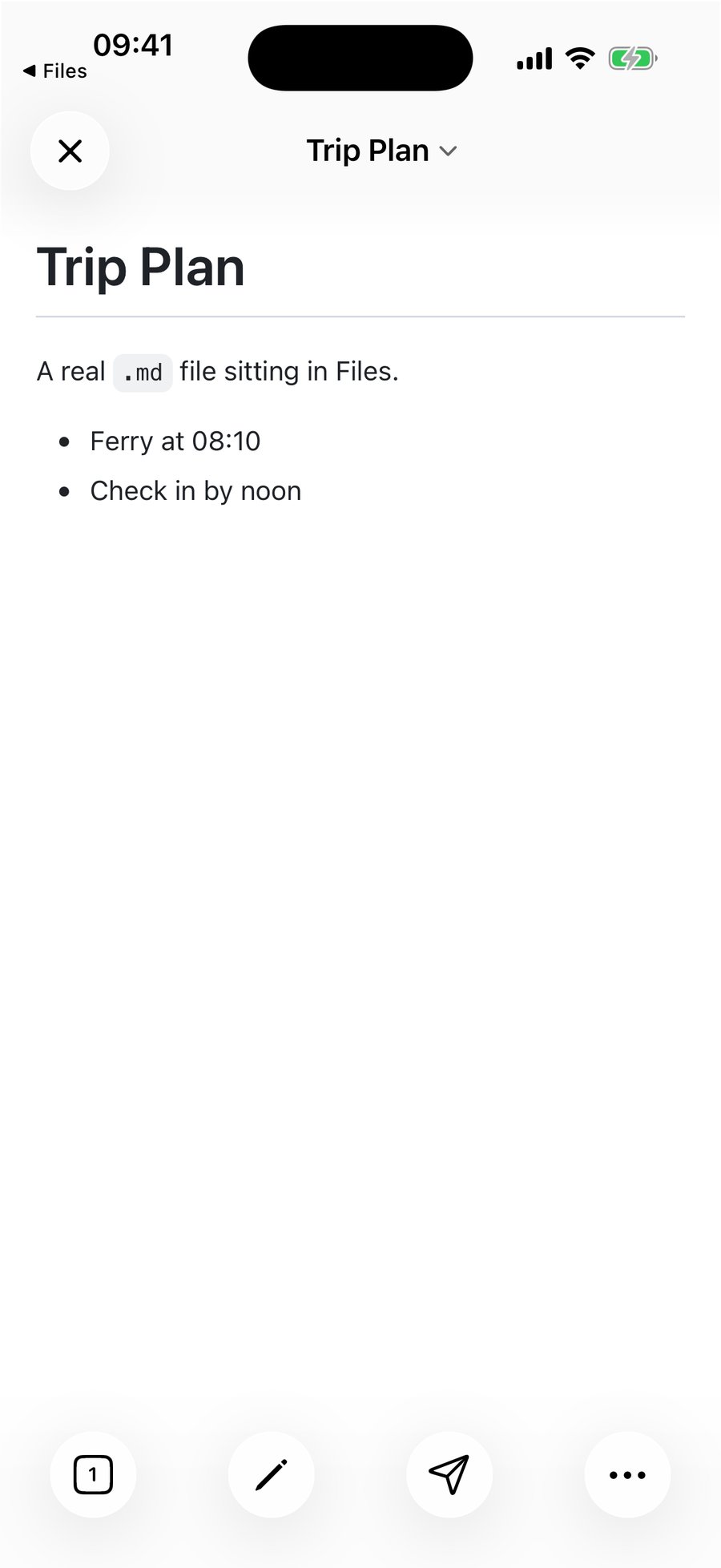
Publisher screenshot from QuickMark’s iPhone opening guide.
QuickMark documents opening a file through the system Files picker and saving edits back in place. Existing documents can open in preview by default; a setting switches the preferred opening mode to the editor. This addresses a different job from building a notes library.
Pros
- Documented original-file access without importing a second copy.
- Preview-first opening for people who mainly want to read.
- Publisher documentation covers tables, math, Mermaid, and PDF export.
Cons
- No iPhone folder browser in the documented workflow; use the picker and recent files.
- Apple platforms only; the listing requires iOS 17 or later.
- Free download includes an in-app purchase; check the features you need.
This recommendation rests on publisher documentation and the App Store listing. Independent Reddit feedback in the reviewed material is too limited to give it the same community evidence as the other main candidates.
Try it for reading a loose file. Confirm saving and export on a disposable document before trusting important work to it.
Taio and Textastic for specialized workflows
Section titled “Taio and Textastic for specialized workflows”Taio combines Markdown editing, clipboard capture, and text actions. Its free basic tier is an interesting automation alternative. However, the US App Store history still lists version 1.68.0 dated September 13, 2023 at this check. A December 2024 Reddit poster praises it while reporting a macOS compatibility problem and worrying about maintenance. That is not an iPhone bug report or proof of permanent abandonment. Test the free tier on your current system before buying Pro.
Textastic belongs on the shortlist when Markdown is part of a code or website project. It offers source editing and a local preview using MultiMarkdown. Its documentation explains an important asset limitation. Opening only an individual file may not grant access to neighboring images; adding the containing folder can be necessary. Consider it for technical work rather than casual attachment reading.
Open a file and confirm where edits go
Section titled “Open a file and confirm where edits go”On iPhone, save the attachment to Files if necessary, then use the editor’s open-file control. A share action can import a copy, while a document picker may open in place. Confirm the behavior in your chosen app; menus vary by iOS version and provider.
On Android, put the document in an accessible local folder, then open it in Markor or add the folder as a repository in Zettel Notes. A cloud download is a separate copy unless a sync workflow connects it to the original.
Duplicate important material before editing. This small file checks headings, a task list, a table, and a relative image.
# Mobile file check
- [ ] Change this line and reopen the same file
| Item | Status ||---|---|| Saved file | Check after reopening |
Save as mobile-check.md. Keep a real images/sample.png in the matching folder. Change one line, close, reopen from the original location, and confirm the change. Then open it on your computer if you plan to sync. Avoid simultaneous edits until you understand conflict handling.
If preview shows raw # or |, switch out of source mode. If an image is missing, check the relative path and folder access. Table or diagram support can differ even when the file is saved correctly. Renaming a PDF or Word file to .md does not convert its contents.
Continue on a computer
Section titled “Continue on a computer”- Compare desktop Markdown editors.
- Preview Markdown in VS Code for files in a software project.
- Prepare Markdown for AI while preserving headings, sources, and code blocks.
Sources and selection
Section titled “Sources and selection”Official links establish platforms, file handling, and documented features. The selected Reddit threads provide individual positive and negative experiences from 2020 through 2026. Developer promotion was excluded as independent endorsement. Old complaints keep their dates, and superseded platform and Dropbox advice has been corrected. This comparison has no affiliate rankings, invented ratings, or measured performance scores.